Amy Osborne, Head of Audit Services (Pera Prometheus)
Key Takeaways
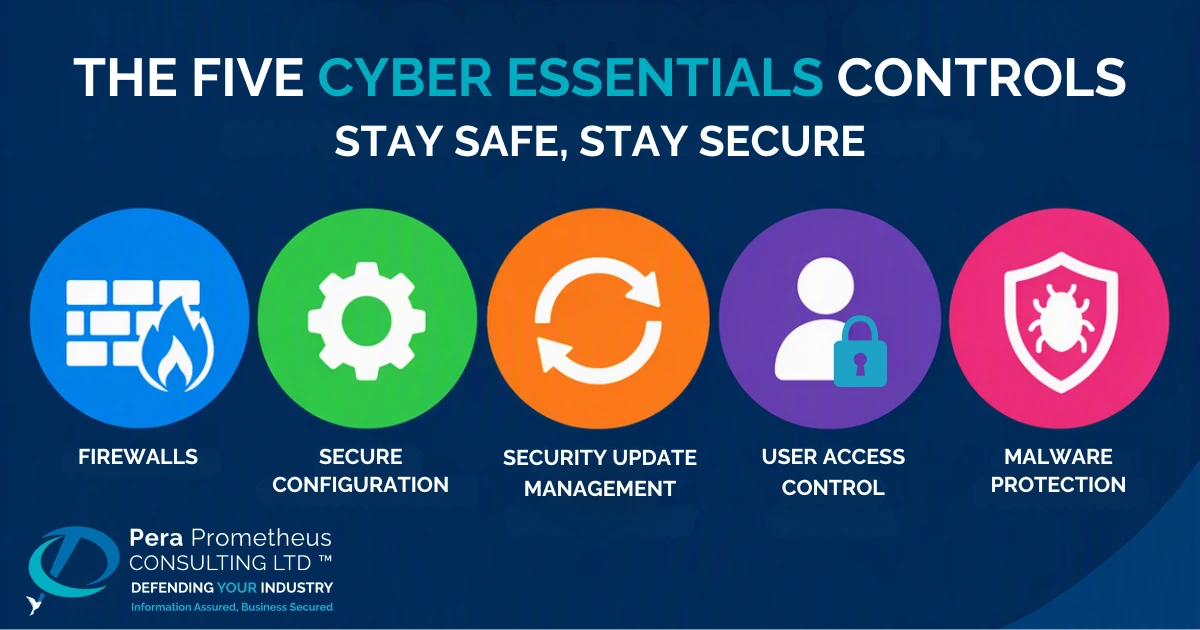
- Cyber Essentials is built around five essential technical controls: firewalls, secure configuration, security update management, user access control and malware protection.
- All five controls are mandatory. Failing to meet the requirements of even one can result in an unsuccessful assessment.
- Each control addresses a specific security risk, helping to close common vulnerabilities that attackers routinely exploit.
- The assessment criteria are strict. Under the April 2026 Danzell question set, failing to enable multi-factor authentication (MFA) for cloud services or missing the 14-day deadline for critical security updates results in an automatic fail.
The five Cyber Essentials controls are simpler than most people expect. I audit organisations of every size, from sole traders to large enterprises and many start with the assumption the scheme is complicated because the official wording reads as if it were written for engineers, it is not. Each control targets a common way attackers can break in and implementing all five controls correctly closes the doors most attacks rely upon for access, whatever the size of your organisation. In this blog, I explain each one in a simple manner.
What Are the Five Cyber Essentials Controls For
Cyber Essentials is the UK Government backed scheme for protecting organisations against the most common internet based threats. It centres on five practical security controls designed to defend against the common, high-volume cyberattacks that organisations face every day.. Many customers now ask suppliers for it and it is required on central government contracts that involve personal data or certain ICT services. In Defence, it is the foundation of DCC Level 0 which MOD has asked all industry partners to achieve by 31 December 2026.
The controls apply to everything in your assessment scope, and this has included cloud services since 2022. The current requirements are clear that cloud services cannot be excluded.
Read more: Cloud Is in Scope: What Cyber Essentials Requires From You
Control 1: Firewalls
A firewall is a gatekeeper between your devices and the internet, deciding what traffic is allowed in and out. Its job is to block unwanted connections and attackers scanning the internet for a way in to your business network. Every organisation has a boundary of some kind, whether that is the router in a small office, a dedicated firewall protecting a large network or the firewall built into each laptop.
Cyber Essentials expects that boundary to be switched on, configured appropriately and protected with its own strong password. The firewall guards the edge but the devices behind it need to be configured correctly too.
Control 2: Secure Configuration
The default, out of the box, configurations for new devices and software are set up for convenience, not security. They come with default passwords, spare user accounts and features you will never use and each one is a potential way in for attackers. Secure configuration means tidying that up before a device goes into service. Remove what you don’tneed, change default passwords to strong ones and switch off functions that add risk without adding value. It may seem like basic housekeeping, and it’s the kind of issue I regularly uncover during audits. Yet even well-managed organisations, regardless of size, can fall short simply because no one takes clear responsibility for ensuring business assets are securely configured.
A well-configured device still needs to stay current, which brings us to our next control, security updates.
Control 3: Security Update Management
All software goes through several iterations of updates and when a vendor finds a flaw, they release an update to fix it. Attackers watch for those announcements and target organisations that have not applied the fix yet. Keeping software updated and removing anything the vendor no longer supports, is one of the most effective things you can do.
The 14-day rule is not new, but the consequences are. Under the April 2026 changes, any critical or high-risk update to operating systems, router and firewall firmware or applications must be applied within 14 days and missing that window is now an automatic fail.
The April 2026 rules apply to assessment accounts created after 26 April 2026. If your account was opened before then, you had six months to certify under the old rules and that window closes around 26 October 2026. Updates are implemented to close known flaws but they do nothing if the wrong person has already compromised your system(s) and so updating as quickly as possible is key to maintaining security.
Control 4: User Access Control
Not everyone needs access to everything. User access control means giving each person their own named account, granting only the access their role requires and removing it the moment they leave or change roles within the business. Administrator accounts, which can change settings and install software, must be kept separate from everyday accounts and used only to perform admin tasks.
IASME requires multi-factor authentication (MFA) on cloud services wherever it is available, whether free, included or paid and failing to use it is an automatic failure. The scheme also highlights passkeys as a stronger, passwordless option. If a password is ever stolen, these measures make it far harder for that to become a full breach.
The final control deals with what happens if something malicious gets onto a device anyway.
Control 5: Malware Protection
Malware is malicious software designed to compromise your systems, disrupt operations or steal sensitive data. It can take many forms, from ransomware that locks your files to hidden programs that quietly collect information. This control ensures that effective protection is in place to detect and prevent malware from running on your devices. For most organisations, this means installing anti-malware software on every laptop, desktop and server, with automatic updates enabled to keep protection current.
There is a second option. You can keep a list of approved software and block anything that is not on it. The official requirements call this application ‘allow listing’. Both options do the same job. They stop harmful software from running. But the important thing to remember is no single control is enough on its own.
Conclusion
The controls work as a set. A firewall does not help if a laptop runs unsupported software and timely updates do not help if a former employee’s administrator account is still active. That is why the scheme requires all five, applied consistently across everything in scope. When you are ready to apply, our 2026 Cyber Essentials checklist turns each control into practical checks.
Understanding the five controls is one thing, evidencing them across your whole organisation is another. As an IASME approved certifying body for Cyber Essentials and Cyber Essentials Plus and a certifying body for DCC Level 0, we help organisations of every size, from small businesses to large enterprises, get the controls right and get certified. Get in touch and let’s talk through where you are.
Frequently Asked Questions
Q: What are the five Cyber Essentials controls?
A: Firewalls, secure configuration, security update management, user access control and malware protection.
Q: Do I need all five controls to achieve Cyber Essentials?
A: Yes. All five must be in place across everything in scope and some questions, such as MFA on cloud services, now fail the assessment on their own.
Q: Do the controls apply to cloud services?
A: Yes. Cloud services are in scope, and MFA must be used on them wherever it is available.
Q: Are the controls hard to implement?
A: Most are configuration and process changes rather than new software. The effort is in applying them consistently and expert consultants like Pera Prometheus can help if required.
Q: What is the difference between Cyber Essentials and Cyber Essentials Plus?
A: Cyber Essentials is a verified self-assessment of the five controls, while Cyber Essentials Plus independently tests those same controls in a hands-on audit.
Stay Safe, Stay Secure