Amy Osborne, Head of Audit Services
Key Takeaways
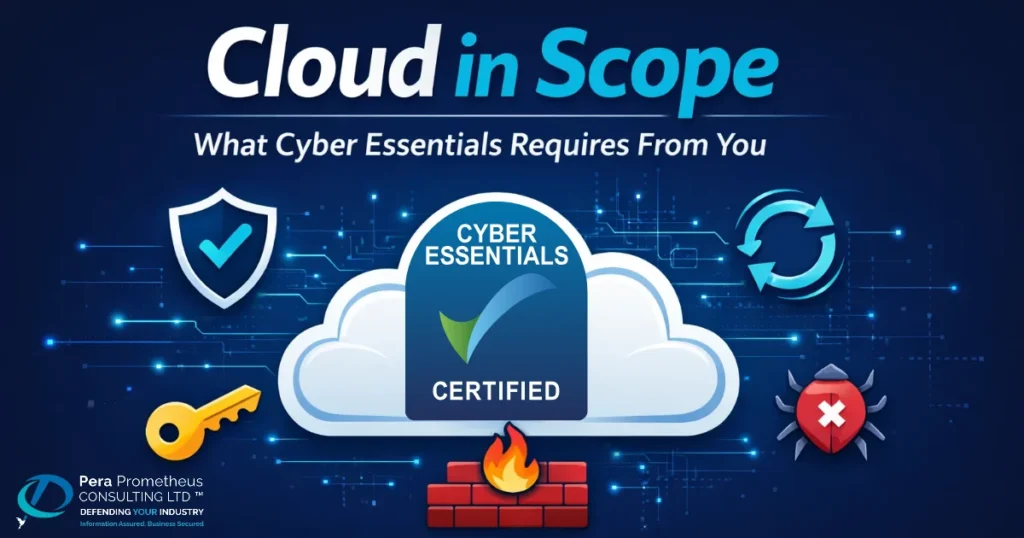
- Cloud services cannot be excluded from the Cyber Essentials scope. If MFA is available on any cloud service your organisation uses and you have not enabled it, the assessment fails automatically.
- Your cloud provider secures the platform. You are responsible for how your organisation accesses and configures it. Cyber Essentials assesses your side of that boundary.
- In a SaaS (Software as a Service) environment such as Microsoft 365, the provider patches the application. Patching the operating systems and browsers on the devices that access it remains your responsibility.
- Admin accounts must be separate from day-to-day user accounts, restricted to those who need them. They must be protected with MFA and must not have mailboxes or be used to browse the web
- Under the Danzell question set which has been live since 27 April 2026, MFA failures and patch management failures are automatic fails. There is no appeal.
Some organisations approach Cyber Essentials assuming that because their data sits in Microsoft 365 or another cloud platform that information security is largely someone else’s responsibility; however, that assumption can cause assessments to fail. Your cloud provider secures the infrastructure it runs but your organisation is responsible for what sits on top of that for example; who has access, how they authenticate, what is enabled by default, and what gets patched. This post explains exactly how the five Cyber Essentials controls apply in a cloud environment and what you need to have in place before your assessment begins.
What “Cloud Services in Scope” Actually Means
The NCSC Requirements for IT Infrastructure v3.3 defines a cloud service as an on demand, scalable service hosted on shared infrastructure, accessible via the internet, accessed via an account, and used to store or process data for your organisation.
That definition covers Microsoft 365, Google Workspace, Salesforce, Dropbox, CRM platforms, HR software and project management tools. It also explicitly includes business social media accounts such as LinkedIn, Facebook and X. Any account used for business purposes that stores or processes organisational data falls within the definition and must be in scope. Infrastructure as a Service (IaaS) platforms such as Azure and AWS virtual machines are in scope too. Cloud services cannot be excluded under any circumstances. This was made explicit under the latest Danzell question set and is confirmed in our post on what is changing in Cyber Essentials in April 2026.
Understanding that your cloud services are in scope is only the first step. Our post on Cyber Essentials scoping explains how to define the boundary in detail. It’s equally important to understand the settings you need to configure and the evidence you need to provide for those cloud services to meet the Cyber Essentials requirements.
The Shared Responsibility Model: Where Cyber Essentials Sits
Every major cloud provider operates a shared responsibility model. The provider secures the physical infrastructure, the network and in a SaaS environment, the application layer. Your organisation remains responsible for everything built on top of that such as user access, role management, authentication, service configuration, and the security of any devices connecting to the service.
Cyber Essentials does not assess Microsoft’s platform, it assesses what your organisation has configured on top of it. Most cloud-related Cyber Essentials failures occur on the customer side of the shared responsibility boundary. In most cases, the cloud platform itself is not the issue. Instead, organisations have failed to implement, manage, or maintain the controls that Cyber Essentials expects them to own.
How the Five Controls Apply in a Cloud Environment
- Firewalls: Cyber Essentials requires a boundary firewall between your network and the internet. In a cloud environment, that protection must exist at the device level. The software firewall on every device accessing cloud services, whether in the office, at home or on a bring your own device (BYOD) arrangement, must be correctly configured. Virtual firewalls in IaaS environments, such as Azure Network Security Groups, fall within the scope of Cyber Essentials and are expected to meet the same standards.
- Secure configuration: Default settings in cloud platforms are not always secure. In Microsoft 365, secure configuration means disabling legacy authentication protocols that allow users to bypass MFA, restricting external sharing to what is genuinely necessary and removing unused accounts and guest access. Admin accounts must be kept entirely separate from day-to-day user accounts. Cyber Essentials looks at what your organisation has actively changed, not what a provider has switched on by default.
- User access control: Least privilege applies in cloud environments as much as it does on premise. In Microsoft 365, admin roles must be assigned only to accounts that need them and used only for administrative tasks. Regular user accounts must not hold any admin permissions. Guest and external accounts within scope must be reviewed and controlled. Our Cyber Essentials FAQs post covers the cloud access requirements in further detail.
As per the IASME, Important Update: Changes to Cyber Essentials for April 2026, Multi Factor Authentication (MFA) is a core requirement within this control. MFA is now mandatory on every cloud service where it is available, whether free, included in your licence or requiring a paid tier upgrade. This applies to every account, not just administrators. If MFA is available and your organisation has not enabled it, the assessment fails automatically.
As an approved Cyber Essentials and Cyber Essentials Plus certifying body, Pera Prometheus sees this issue time and again. Many organisations simply do not realise that MFA is available as part of their existing licence tier. Our Cyber Essentials FAQs post covers the cloud access requirements in further detail.
- Malware protection: In a cloud environment, malware protection remains the responsibility of your organisation, not the provider. Cyber Essentials requires every device in scope to have active malware protection in place by using one of three accepted approaches: anti-malware software, application allow listing or sandboxing. Your cloud provider may run malware scanning within the service itself but that does not satisfy the CE requirement for the devices connecting to it. Every laptop, desktop and mobile device that accesses your cloud services must have appropriate protection running and kept up to date. If a device in scope is found without active malware protection, the assessment will fail.
- Security update management: This is where the shared responsibility causes the most confusion. In a SaaS environment such as Microsoft 365, Google Workspace or Salesforce, the provider patches and updates the application. Your responsibility is to ensure that the operating systems and browsers on devices accessing these services are updated within 14 days of a critical security update being released. In an IaaS environment such as Azure or AWS virtual machines, you own the operating system layer entirely, so updating it is your responsibility, not the provider’s. Failure to install critical and high-risk updates within 14 days is an automatic fail.
What a CE+ Assessor Checks for Cloud Services
Cyber Essentials is a verified self-assessment, while Cyber Essentials Plus tests the controls you have declared are used in practice. A CE+ assessor will verify that MFA is enabled across all in-scope cloud services. They then assess a sample of devices accessing those services by checking patching levels, security configurations and account controls, including the separation of administrator and user accounts and consistency with your self-assessment responses.
Your organisation must complete and pass Cyber Essentials before Cyber Essentials Plus testing can begin. You cannot amend your Cyber Essentials responses or declarations once you passed so it vital you have the correct scope before the CE+ assessor begins. Our post on Cyber Essentials vs Cyber Essentials Plus explains how each level applies across various sectors and supply chains.
Why Pera Prometheus?
Understanding where your responsibility ends and your provider’s begins is not always straightforward, particularly when you are running a mix of SaaS and IaaS services. At Pera Prometheus, we support organisations at this stage every day. We can help identify and address potential issues early, reducing the risk of unexpected findings during certification. If you would like to discuss your current position and next steps, get in touch with our team.
Frequently Asked Questions
Q: Does Microsoft securing its own platform mean we do not need to configure anything for CE compliance?
A: No. Microsoft secures the infrastructure and the application. Your CE obligations cover how your organisation accesses and configures the platform e.g. accounts, MFA, roles, settings and the devices connecting to it.
Q: Our staff use Microsoft 365 but MFA requires a licence upgrade. Do we still need to enable it?
A: Yes, MFA must be enabled where it is available, including where it requires a paid upgrade. Failing to enable it is an automatic fail regardless of the cost involved.
Q: We use Azure virtual machines. Who is responsible for patching the operating system?
A: Your organisation is responsible. In an IaaS environment, the cloud provider manages the physical infrastructure however patching the operating system on your virtual machines is entirely your responsibility.
Q: What happens in a CE+ audit if MFA is not enabled on one of our cloud services?
A: The assessment fails immediately. If the failure reveals an inconsistency with your verified self assessment, your CE certificate can also be revoked.
Stay Safe, Stay Secure